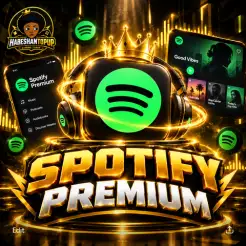
spotify
⚠️ IMPORTANT After payment, please inbox us on Telegram to complete your top-up. @habeshantopup By paying, you confirm that you agree to provide the required game email and password for the top-up process.
Select Package

Description
🎧 Spotify Premium | 1 Month 🌍
Enjoy Spotify Premium for 1 month with an Individual Premium subscription — not a Family plan.
🎵 Full music & podcast experience
⚡ Fast activation
🔒 Individual account activation
🌍 Country-change activation method
🚀 Delivery within 24 hours
✨ What You Get
✅ Spotify Premium — 1 Month
✅ Individual Premium — NOT Family
🎵 Music and podcast access
⚡ Fast & secure activation
🌍 Activation using the supported country-change method
📱 Use Spotify on your supported devices
🚀 Activation within 24 hours
📲 How It Works
1️⃣ Purchase 🛒
Select Spotify Premium — 1 Month on the Habeshan Topup website and complete your order.
2️⃣ Complete Payment 💳
Pay securely through Chapa on the Habeshan Topup website.
After successful payment, your order will be confirmed and prepared for activation.
3️⃣ Send Your Spotify Account 🔐
Contact our official Telegram support:
👉 @habeshatopup_admin
Send your Spotify account login details so our team can process the activation.
📧 Spotify Email / Username
🔑 Spotify Password
⚠️ Please make sure the login information is correct before sending it.
4️⃣ Activation ⚡
Our team will process your Spotify Premium subscription using the country-change activation method.
Please do not change your account information or region while the activation is being processed.
Your activation will be completed within 24 hours after successful payment and receipt of the required information.
5️⃣ Premium Activated ✅
Once activation is completed, log in to your Spotify account and confirm that Premium is active.
Then you can enjoy your Premium subscription. 🎧
🔐 IMPORTANT — AFTER DELIVERY
For your account security, please change your Spotify password after the activation/delivery is completed.
⚠️ After activation, keep your Spotify account region unchanged.
Changing the region after activation may affect the subscription or cause account-related issues.
⚠️ PLEASE READ BEFORE ORDERING
Before purchasing, please understand the following:
🌍 Country/Region Activation
This product uses a country-change activation method.
Because Spotify's subscription availability and features can vary by country, certain features may not be available depending on your account's region and Spotify's current policies.
🤖 AI DJ
AI DJ may be unavailable depending on your account's country/region and Spotify's current availability.
⚠️ Spotify Policy Changes
Spotify may change its subscription policies, regional requirements, or eligibility rules at any time.
If Spotify later revokes or restricts Premium access because of a Spotify policy or regional eligibility change, a refund or replacement cannot be guaranteed.
Please understand these conditions before placing your order.
🔒 ACCOUNT SECURITY
Your Spotify account information is sensitive.
Please:
✅ Send your account details only through the official @habeshatopup_admin Telegram support.
❌ Do not post your password publicly.
❌ Do not send your password to unofficial accounts claiming to be Habeshan Topup.
❌ Do not change your account region after activation unless instructed by support.
🔐 Change your Spotify password after delivery/activation is completed.
📌 IMPORTANT ORDER NOTICE
By completing your purchase, you confirm that you have read and understood the activation method and the conditions listed above, including:
✅ Individual Premium plan
🌍 Country-change activation
🔒 Password change after delivery
📍 Keeping your account region unchanged
🤖 AI DJ may be unavailable
⚠️ Spotify policy-related restrictions may affect the subscription
🚀 QUICK SUMMARY
1️⃣ BUY → Purchase Spotify Premium 1 Month.
2️⃣ PAY → Complete payment through Chapa.
3️⃣ TELEGRAM → Contact @habeshatopup_admin.
4️⃣ SEND → Send your Spotify account details.
5️⃣ ACTIVATE → Our team processes the Premium activation within 24 hours.
6️⃣ CONFIRM → Check your Spotify account.
7️⃣ SECURE → Change your password after delivery.
8️⃣ ENJOY 🎧 → Enjoy Spotify Premium for 1 month.
📲 Habeshan Topup Support
Telegram: @habeshatopup_admin
🎧 Spotify Premium — Individual | 1 Month | Fast Activation
Guide
🎧 Spotify Premium | 1 Month — Activation Guide
Follow the steps below to activate your Spotify Premium subscription quickly and correctly.
🛒 Step 1 — Purchase Spotify Premium
Choose Spotify Premium | 1 Month from Habeshan Topup and complete your order.
💳 Step 2 — Complete Your Payment
Complete the payment through our automatic Chapa payment system.
Once your payment is confirmed, your order will be processed for activation.
📩 Step 3 — Contact Habeshan Topup
After completing your payment, contact our official Telegram support:
📲 Telegram: @habeshatopup_admin
Send your order information so our team can identify your purchase.
🔐 Step 4 — Send Your Spotify Account
For this activation method, send the Spotify account you want us to activate.
Please provide:
-
📧 Spotify Email / Username
-
🔑 Spotify Password
⚠️ Important: Send your account information only to our official Telegram support @habeshatopup_admin. Never post your password publicly or send it to unofficial accounts.
⚡ Step 5 — Wait for Activation
Our team will process the Premium activation using the required country-change activation method.
Please avoid repeatedly logging in, changing your account settings, or making unnecessary changes while your order is being processed.
🚀 Your activation will be completed within 24 hours after successful payment and receipt of the required information.
✅ Step 6 — Check Your Premium
Once activation is completed, open Spotify and check your account.
You should see your Premium subscription active.
You can then enjoy your Premium features, including:
🎵 Ad-free music
⏭️ Unlimited skips
📥 Offline listening
🎧 High-quality audio
🎙️ Podcasts and other Premium features
🔒 Step 7 — Change Your Password
After your subscription has been successfully delivered, we strongly recommend changing your Spotify password for your account security.
🌍 Step 8 — Keep Your Account Region Unchanged
After activation, do not change your Spotify account region unnecessarily, as this may affect the subscription.
⚠️ Important Information
AI DJ:
AI DJ may not be available depending on your account, country, or Spotify's current feature availability.
Spotify Policy Changes:
If Spotify later revokes Premium because of policy or service changes, a refund or replacement cannot be guaranteed.
By completing your purchase, you confirm that you understand and accept these conditions.
🆘 Having a Problem?
If your Premium is not active or you experience an activation/login issue:
-
Don't repeatedly try to log in.
-
Take a screenshot of the problem.
-
Keep your order information ready.
-
Contact @habeshatopup_admin on Telegram.
-
Our support team will check the issue and assist you.
🚀 Quick Guide
Purchase → Pay through Chapa → Contact @habeshatopup_admin → Send Spotify account → Activation within 24 hours → Check Premium → Change password → Enjoy Spotify Premium 🎧
Users reviews who have purchase
Total Reviews 0
AVG Ratings 0