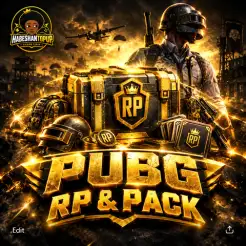
pubg RP and packs
Quickly boost your PUBG Mobile experience with instant UC top-ups and Royale Pass upgrades
Select Package








Description
🎮 PUBG Mobile UC & Royale Pass | Fast Top-Up
🔥 Ready for your next PUBG Mobile upgrade?
Get the UC you need to unlock premium content, pick up exclusive items, and upgrade your Royale Pass through Habeshan Topup.
Whether you're saving UC for a new release or looking to complete your RP rewards, our simple top-up process gets your purchase to the correct PUBG Mobile account without unnecessary steps.
💎 WHAT YOU CAN GET
🪙 PUBG Mobile UC — Use UC for eligible in-game purchases, crates, skins, and other premium content.
🎟️ Royale Pass — Unlock the applicable RP rewards and progress through the season.
⚡ Fast Processing — Most orders are completed within 3 minutes.
🔐 UID-Based Delivery — Your Player ID is used to identify the account receiving the purchase.
🇪🇹 Local Payment — Convenient payment options designed for Ethiopian customers.
🚀 HOW TO PLACE YOUR ORDER
1️⃣ 🆔 Enter Your Player ID
Open PUBG Mobile and go to your profile.
📋 Copy your Player ID and enter it on the Habeshan Topup order page.
⚠️ Check every number carefully. Your Player ID determines which account receives the top-up.
2️⃣ 💳 Complete Your Payment
Select your desired UC or RP package and complete the payment using the available payment method.
Once your payment is confirmed, your order will enter processing.
3️⃣ ⚡ Wait for Delivery
After successful payment and verification, your selected UC or Royale Pass will be delivered to the PUBG Mobile account connected to your Player ID.
⏱️ Most orders are completed within 3 minutes.
4️⃣ 🎮 Enjoy Your Purchase
Open PUBG Mobile and check your account.
🪙 UC can be used for eligible premium purchases.
🎟️ RP rewards can be accessed according to the current Royale Pass system.
🛡️ WHY HABESHAN TOPUP?
⚡ Fast service — Spend less time waiting and more time playing.
🔐 Secure process — We use account-identification details rather than asking for unnecessary login credentials.
🎮 Simple ordering — Enter your Player ID, choose your package, and complete payment.
🇪🇹 Made for gamers — Convenient service for PUBG Mobile players in Ethiopia.
⚠️ BEFORE YOU ORDER
🔹 Confirm your PUBG Mobile Player ID before payment.
🔹 Make sure you've selected the correct UC or RP package.
🔹 Keep your payment confirmation until the order is completed.
🔹 Never share your PUBG Mobile password for a standard Player ID top-up.
🆘 NEED HELP?
If your order hasn't arrived or you notice a problem, contact our official support team:
📲 Telegram: @habeshatopup_admin
Please send your order information, Player ID, and payment confirmation when contacting support so we can investigate the issue faster.
⚡ QUICK SUMMARY
Copy Player ID → Choose UC/RP → Pay → Order Processing → Receive Your Purchase → Get Back to the Battleground! 🪖🔥
🏆 YOUR BATTLE. YOUR UC. YOUR VICTORY. 🎮💎
Guide
🚀 PUBG Mobile UC & RP — How to Order
Getting UC or Royale Pass through Habeshan Topup only takes a few simple steps. 🎮💎
1️⃣ 🆔 Find Your PUBG Player ID
Launch PUBG Mobile and enter the main lobby.
👤 Tap your profile avatar in the upper-left corner.
Your Player ID will appear on your profile near your player name.
📋 Tap the copy button beside the ID to copy it.
2️⃣ 🛒 Enter Your Player ID
Return to the Habeshan Topup product page and paste your copied ID into the Player ID field.
⚠️ Verify the number carefully before placing your order.
Your Player ID determines which PUBG Mobile account receives the UC or RP, so an incorrect ID can result in delivery to the wrong account.
3️⃣ 💳 Pay for Your Order
Select your preferred available payment option and complete the transaction.
🇪🇹 telebirr — Pay through the telebirr app or supported USSD service.
🏦 CBE — Use CBE Mobile Banking or CBE Birr.
📸 Keep your payment confirmation until your order has been successfully delivered.
4️⃣ 🎉 Check Your PUBG Account
After your payment has been confirmed, your selected UC or RP package will be processed automatically.
⏱️ Most orders are completed within 3 minutes.
Open PUBG Mobile and check your UC balance or the relevant Royale Pass section to confirm your purchase.
🛡️ IMPORTANT BEFORE ORDERING
🔹 Enter the correct PUBG Player ID.
🔹 Check your selected UC/RP package before payment.
🔹 Keep your payment receipt until delivery is confirmed.
🔹 Never provide your PUBG password for a standard Player ID top-up.
🆘 ORDER SUPPORT
Didn't receive your UC/RP or entered the wrong Player ID?
📲 Contact @habeshatopup_admin on Telegram as soon as possible.
Please provide your order details, Player ID, and payment confirmation so our team can investigate the order.
⚡ QUICK GUIDE
Open PUBG → Copy Player ID → Enter ID → Choose UC/RP → Pay → Automatic Processing → Check Your Account → Play! 🪖🔥
Users reviews who have purchase
Total Reviews 2
AVG Ratings 4