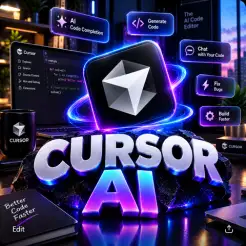
cursor ai
🌍 IMPORTANT: GLOBAL SERVICE. Availability and activation depend on account eligibility and Cursor's subscription terms.
Select Package
Description
🤖 Cursor AI Pro — How to Activate
Purchased Cursor AI Pro from Habeshan Topup? Follow these steps to activate your subscription and enjoy powerful AI coding tools, intelligent code completion, and AI-assisted development.
🌍 IMPORTANT: GLOBAL SERVICE. Availability and activation depend on account eligibility and Cursor's subscription terms.
1️⃣ 🛒 Place Your Order
Visit Habeshan Topup and select your preferred Cursor AI subscription package.
Choose your package and proceed with your order.
2️⃣ 💳 Complete Your Payment
Complete your payment through Chapa.
Once your payment is confirmed, your order will be processed.
⏱️ Delivery is completed within 24 hours.
3️⃣ 🔐 Provide Your Cursor Account Details
Because this product is activated through account login, you will need to provide the email address associated with your Cursor account and the required login credentials.
📩 Make sure you provide the correct account information so the activation process can proceed.
⚠️ Security reminder: Only provide account credentials through a secure, trusted process. Never share one-time verification codes or recovery codes. Whenever possible, use an official authorization method instead of sharing your password.
4️⃣ 💻 Cursor AI Account Activation
After your payment is confirmed and the required account details are received, the activation process will begin.
-
Make sure you have a Cursor account.
-
Provide the account email and required login details through the agreed secure process.
-
Complete any required verification yourself through Cursor's official login system.
-
Allow the activation process to be completed.
-
Check your account to confirm that the subscription is active.
5️⃣ 🚀 Enjoy Cursor AI Pro
Visit Cursor's official website:
🤖 Cursor AI: https://cursor.com/
Once activation is confirmed, open Cursor and enjoy the AI coding features included in your subscription.
⚠️ IMPORTANT
-
🌍 Global service, subject to account eligibility.
-
Make sure your account email is correct.
-
Activation is completed through account login.
-
Your account must meet Cursor's eligibility requirements.
-
Never share one-time verification codes or recovery codes with anyone.
-
Change your password if you believe your account credentials have been exposed.
-
Keep your payment receipt and order details until activation is complete.
🆘 NEED HELP?
If you experience any issues with your order or activation, contact Habeshan Topup Support:
📲 Telegram: @habeshatopup_admin
Please provide your order details and payment receipt when contacting support. For your security, do not send passwords or verification codes in ordinary support messages.
⚡ QUICK ACTIVATION
Order → Pay with Chapa → Provide Account Details Securely → Complete Verification → Confirm Activation → 🤖 Enjoy Cursor AI Pro!
Guide
🤖 Cursor AI Pro — How to Activate
Purchased Cursor AI Pro from Habeshan Topup? Follow these steps to activate your subscription and enjoy powerful AI coding tools, intelligent code completion, and AI-assisted development.
🌍 IMPORTANT: GLOBAL SERVICE. Availability and activation depend on account eligibility and Cursor's subscription terms.
1️⃣ 🛒 Place Your Order
Visit Habeshan Topup and select your preferred Cursor AI subscription package.
Choose your package and proceed with your order.
2️⃣ 💳 Complete Your Payment
Complete your payment through Chapa.
Once your payment is confirmed, your order will be processed.
⏱️ Delivery is completed within 24 hours.
3️⃣ 🔐 Provide Your Cursor Account Details
Because this product is activated through account login, you will need to provide the email address associated with your Cursor account and the required login credentials.
📩 Make sure you provide the correct account information so the activation process can proceed.
⚠️ Security reminder: Only provide account credentials through a secure, trusted process. Never share one-time verification codes or recovery codes. Whenever possible, use an official authorization method instead of sharing your password.
4️⃣ 💻 Cursor AI Account Activation
After your payment is confirmed and the required account details are received, the activation process will begin.
-
Make sure you have a Cursor account.
-
Provide the account email and required login details through the agreed secure process.
-
Complete any required verification yourself through Cursor's official login system.
-
Allow the activation process to be completed.
-
Check your account to confirm that the subscription is active.
5️⃣ 🚀 Enjoy Cursor AI Pro
Visit Cursor's official website:
🤖 Cursor AI: https://cursor.com/
Once activation is confirmed, open Cursor and enjoy the AI coding features included in your subscription.
⚠️ IMPORTANT
-
🌍 Global service, subject to account eligibility.
-
Make sure your account email is correct.
-
Activation is completed through account login.
-
Your account must meet Cursor's eligibility requirements.
-
Never share one-time verification codes or recovery codes with anyone.
-
Change your password if you believe your account credentials have been exposed.
-
Keep your payment receipt and order details until activation is complete.
🆘 NEED HELP?
If you experience any issues with your order or activation, contact Habeshan Topup Support:
📲 Telegram: @habeshatopup_admin
Please provide your order details and payment receipt when contacting support. For your security, do not send passwords or verification codes in ordinary support messages.
⚡ QUICK ACTIVATION
Order → Pay with Chapa → Provide Account Details Securely → Complete Verification → Confirm Activation → 🤖 Enjoy Cursor AI Pro!
Users reviews who have purchase
Total Reviews 0
AVG Ratings 0