
PLAYSTATION GIFT CARDS
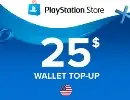
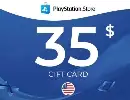
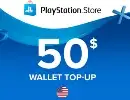
Get an official PlayStation Gift Card code
Select Package

Description
🎮 PlayStation Gift Cards | Fast Digital Delivery
Power up your PlayStation experience with PlayStation Gift Cards from Habeshan Topup. Add funds to your PSN wallet and use them for eligible games, add-ons, in-game content, and other PlayStation Store purchases.
💳 What Can You Use It For?
🕹️ Full Games — Purchase digital PlayStation games from the Store.
🧩 DLC & Add-ons — Expand your favorite games with additional content.
🎨 In-Game Content — Buy eligible items and digital extras.
💰 PSN Wallet Balance — Add funds without using an international bank card.
⚡ Why Buy From Habeshan Topup?
🎁 Digital Code — Receive your gift card electronically.
🚀 Easy Redemption — Redeem directly through the official PlayStation system.
💳 Local Payment — Convenient payment through Chapa.
⏱️ Delivery — Your code is delivered within 24 hours.
🔒 Private & Secure — No PSN password or account login is required.
🌍 IMPORTANT: CHECK YOUR REGION
PlayStation Gift Cards are region-specific.
Before ordering, make sure the gift card's country/region matches your PSN account. A voucher from a different region may not be redeemable on your account.
🛒 HOW IT WORKS
Choose your card → Pay with Chapa → Receive your code → Redeem on PlayStation → Start shopping 🎮
🆘 Need Help?
Our support team is available if you need assistance with your order or redemption.
📲 Telegram: @habeshatopup_admin
🎮 Habeshan Topup — Your Digital Gaming Store
Guide
🎮 PlayStation Gift Card — How to Redeem
Bought a PlayStation Gift Card from Habeshan Topup? Follow these steps to add the card value to your PlayStation account.
1️⃣ 🛒 Choose Your Gift Card
Select your preferred PlayStation Gift Card on the Habeshan Topup website and place your order.
2️⃣ 💳 Complete Your Payment
Pay for your order through Chapa.
📸 Save your payment receipt until your gift card has been delivered.
3️⃣ 🎁 Receive Your Code
After your payment is confirmed, your PlayStation Gift Card code will be delivered to you.
⏱️ Delivery is completed within 24 hours.
📋 Copy the code carefully and keep it private.
4️⃣ 🌐 Open the PlayStation Redeem Page
Go to the official PlayStation redemption page:
Sign in with the PlayStation Network (PSN) account where you want to add the balance.
5️⃣ 🔑 Enter Your Code
Enter the 12-digit voucher code you received.
Select Redeem and follow the instructions displayed on screen.
✅ Once successfully redeemed, the value will be added to your PSN wallet.
6️⃣ 🛍️ Use Your PlayStation Balance
You can use your wallet balance for eligible purchases on the PlayStation Store, including:
🎮 Games
🧩 Add-ons & DLC
🎨 In-game content
💳 Other eligible PlayStation Store purchases
⚠️ IMPORTANT
-
Make sure you're signed into the correct PSN account.
-
PlayStation Gift Cards are region-specific. The card's country/region must match your PSN account.
-
Check the region before redeeming your code.
-
Once a voucher is redeemed, it generally cannot be transferred to another account.
-
Never share your voucher code or PSN password with anyone.
🆘 NEED HELP?
If you have an issue with your order or redemption, contact:
📲 Habeshan Topup Support: @habeshatopup_admin
Please keep your order number and payment receipt ready when contacting support.
⚡ QUICK GUIDE
Choose Gift Card → Pay with Chapa → Receive Code → Open PlayStation Redeem → Enter Code → Redeem → 🎮 Enjoy
Users reviews who have purchase
Total Reviews 0
AVG Ratings 0